
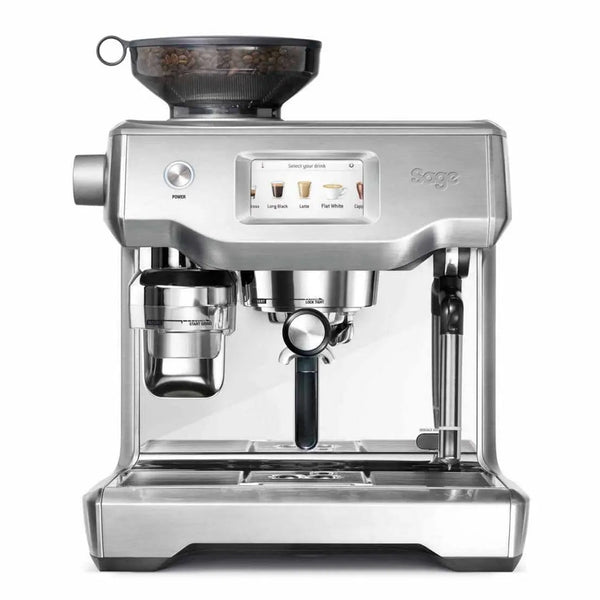
fam_Espresso machine · Sage
Sage Oracle Touch
Manuals, maintenance, water filters, troubleshooting and spare parts for your machine, all in one place.
- Heating system
- Dual boiler
- Water tank
- 2.5 l
- Water
- Water tank
- Portafilter
- 58 mm
- Power
- 2000–2400 W
Maintenance
How to look after your Oracle Touch
Sage machines have built-in programmes for cleaning and descaling and tell you when it is time. Run the cleaning cycle with a tablet, descale when the display asks you to and replace the Claris filter every three months. Here is the schedule and the products we recommend.
Good to know about the Sage Oracle Touch
The screen shows a cleaning message after about 200 shots. Then run the programme with a tablet and the disc.
Switch off the machine and let it cool for at least an hour before you descale. The descaling itself takes about 1.5 hours.
The machine automatically goes to AUTO OFF after 30 minutes without use.
-
Every day
- Wipe and purge the steam wand after every use
- Rinse the portafilter and basket
- Wipe the shower screen, empty the drip tray
-
Every week
- Clear the steam tip and soak it in milk system cleaner
- Wash the drip tray and water tank
- Run the cleaning cycle when CLEAN ME or FLUSH is shown
-
Every month
- Cleaning cycle with a Sage cleaning tablet
- Descale when DESCALE is shown (Sage specifies every month for the Barista Express)
- Clean the grinder on models with a built-in grinder
-
Every 3 months
- Replace the Claris water filter
- Check the silicone gasket in the group
- Replace the gasket and shower screen when needed
Essential maintenance kit
Cleaning detergent, milk system cleaner, blind basket and brush. Everything you need for daily and weekly cleaning.
Cleaning products



Tools


Upgrades
A bottomless portafilter shows you instantly if your coffee is channelling. A spring-loaded tamper, a distribution tool and a precision basket give you more even extraction, shot after shot.


Accessories for your Oracle Touch
Original accessories and wooden trim made specifically for your machine.

Descaling


Water and filters
The right water protects your machine
The target is 2–4 °dH. Replace the Claris filter every three months to reduce the need for descaling. Do not use distilled water.
Water tank
The Oracle Touch runs from a water tank. Use an in-tank filter and replace it every 2–3 months.


Troubleshooting and guides
What do you need help with?
Temperature
Back to categories ↑No guide matches. Ask us and we will help you.
Manuals and spare parts

